David Kim runs two specialty food stores in Seattle. For most of 2024, his retail inventory tracking system was a spreadsheet updated manually after every delivery. Stockouts surfaced when customers asked for items he didn’t have. Quarterly inventory counts consumed a full day of his time and still produced numbers he couldn’t fully trust.
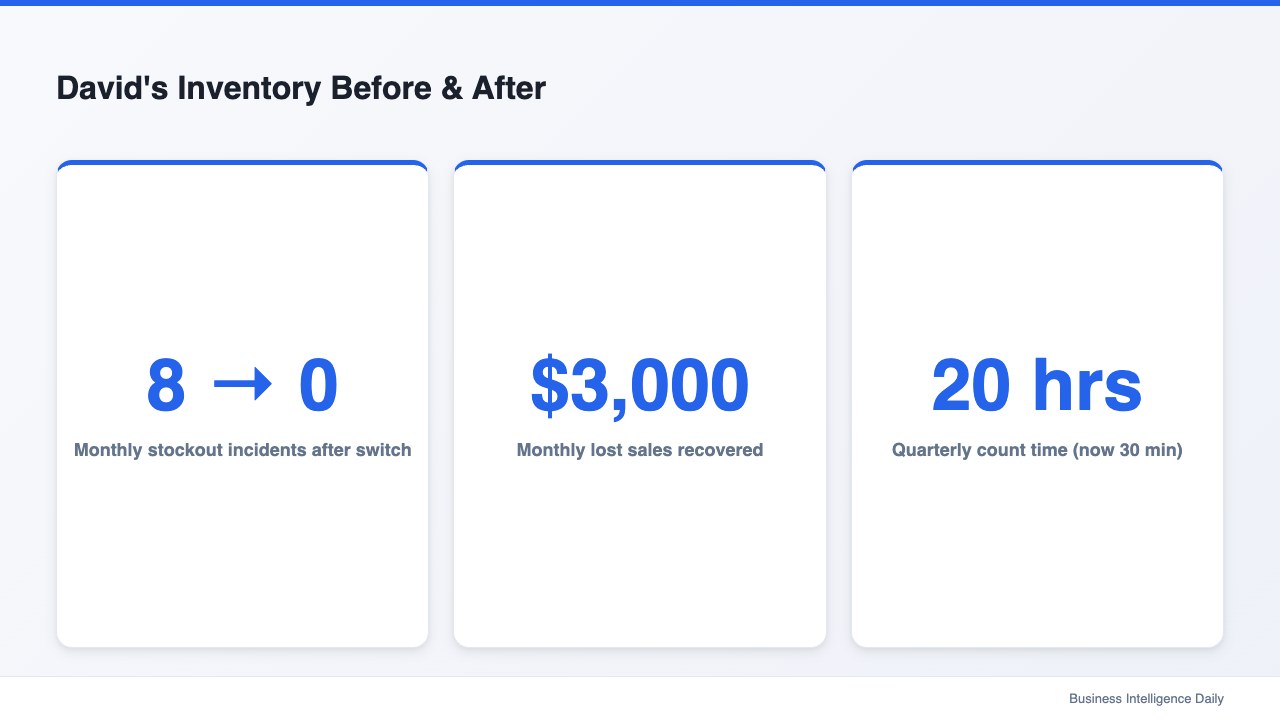
Six months after switching: 8 → 0 stockouts per month. Monthly lost sales $3,000 → $0. Quarterly count time dropped from 20 hours to under 30 minutes. That result came from five specific features his previous spreadsheet-based approach couldn’t provide.
David made that switch after auditing his actual costs — lost sales, unresolved shrinkage, and manual count hours — and finding the total exceeded what he’d imagined.
Why Spreadsheet Inventory Fails Small Retailers
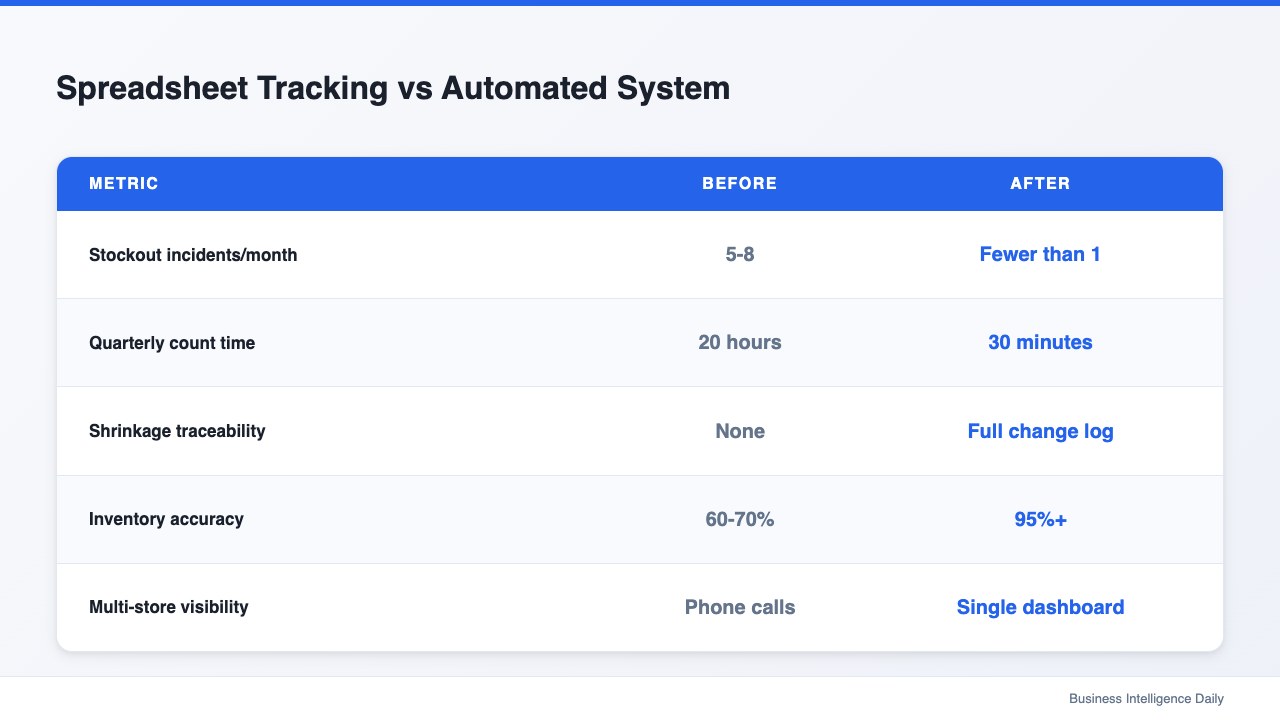
Spreadsheets dominate small retail inventory management in 2025 because they’re free and familiar. Retail inventory accuracy typically runs 60–70% without automated tracking systems, according to the Warehouse Education and Research Council — a gap that contributes to poor inventory turnover ratios and silent shrinkage accumulation.
Out-of-stock events carry measurable cost. IHL Group research estimates that out-of-stock items cost global retailers $1 trillion in lost sales annually. For a two-location specialty food store, even one prevented stockout per week on a $40 item can represent meaningful revenue recovery across a year.
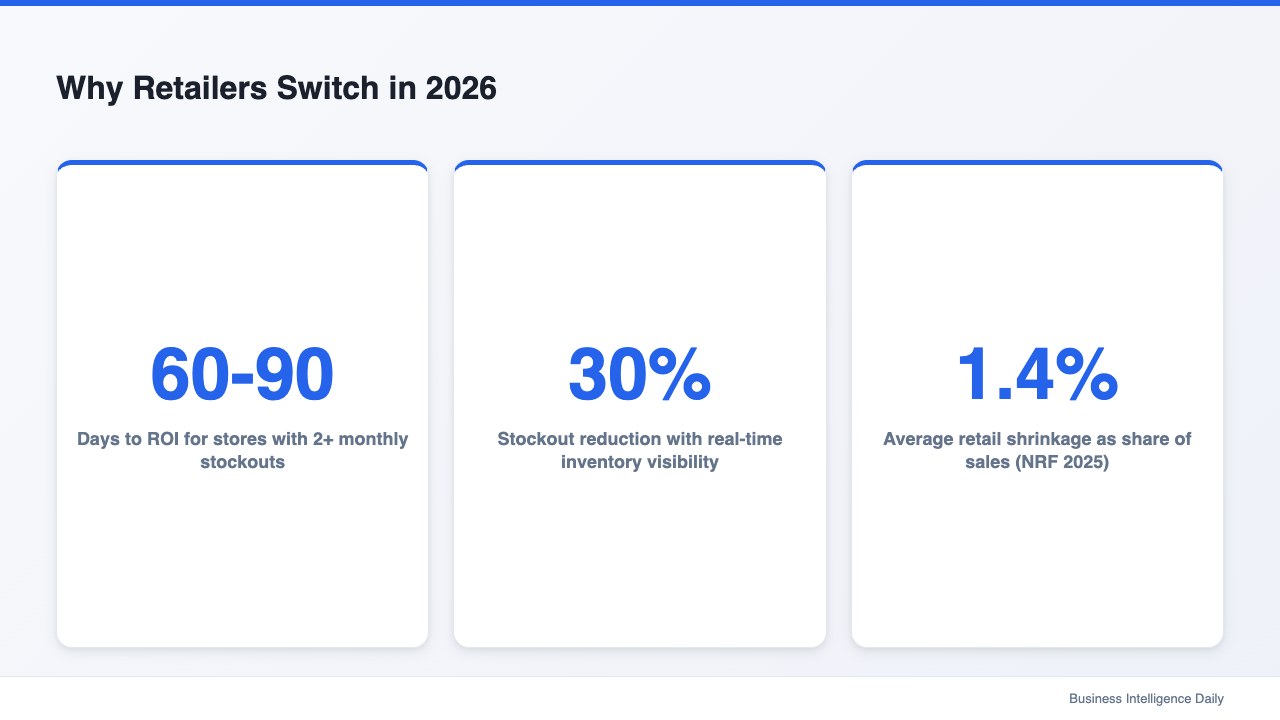
Shrinkage compounds the problem. The National Retail Federation’s 2025 annual security survey reports that retail shrinkage averages 1.4% of sales, with employee theft and administrative error accounting for the majority. Without a change log, there’s typically no mechanism to distinguish theft from honest entry error — and no deterrent for either.
Five features address these failure modes directly. managing multiple retail store locations
Feature 1: Real-Time AI Reorder Alerts Before Stockout
Reactive restocking — replenishing after a customer reports an empty shelf — is the default for most small retailers because it requires no infrastructure. Every stockout may represent a lost sale and, for frequent shoppers, a lost customer relationship.
Retail inventory tracking software built for 2026 should trigger reorder alerts before stock reaches zero, not after. Alert thresholds should generally be configurable per product category: fast-moving daily essentials often need tighter thresholds than seasonal specialty items.
David’s stores now receive alerts when any item crosses its reorder point — a threshold he sets once per product and adjusts as needed. Each alert typically includes current stock level, average daily sales velocity for that SKU, and the supplier’s standard lead time. David sees the information he needs to decide whether to reorder immediately or monitor for a few more days.
Stockout losses of $3,000 monthly came not from a single catastrophic event but from 8 small misses per month that accumulated into a pattern. Fixing the trigger — making the system alert David before a customer did — resolved the pattern within one quarter.
Feature 2: Complete Change Accountability Log
Most retail inventory tracking systems omit this feature, and its absence often creates two compounding problems.
Investigative paralysis is the first. Without a log, when stock numbers don’t match expectations there’s no way to trace the discrepancy. Receiving error? Miscounted intake? An employee adjusting a number for convenience? Without attribution, all explanations remain equally plausible and none are verifiable.
Second, there’s no deterrent effect. Employees who know every inventory change is attributed automatically tend to be more careful than those who know discrepancies will remain untraceable. Accountability logs don’t assume theft — they simply make the record transparent.
Proper logs should capture: employee who made the change, timestamp, product affected, previous quantity, new quantity, and type of change (intake, adjustment, transfer, write-off). Every single change, automatically.
David found a 23-unit discrepancy in one SKU during a December reconciliation. With the log active, he traced it to a single intake session three weeks earlier where the receiving employee had scanned 12 units instead of 35. The error was honest — a scan malfunction — but correctable. Without the log, it would have been another unresolved shrinkage figure in his annual review. retail labor cost percentage
| Without Accountability Log | With Accountability Log |
|---|---|
| Shrinkage cause = unknown | Every change traced to person + time |
| Disputes unresolvable | Full history available in seconds |
| No deterrent for casual errors | Automatic attribution, more care taken |
| Annual shrinkage accepted as fixed cost | Preventable portion identified |
Source: Storebase product documentation; NRF 2025 Retail Security Survey.
Feature 3: Scan-Based Stock Intake and Transfer
Manual data entry is where inventory accuracy most often degrades. An employee processing a supplier delivery while managing walk-in customers types a quantity under time pressure. The number can be wrong. Three weeks later, decisions get made based on wrong numbers.
Scan-based intake eliminates the manual entry step. Employees scan each item during receiving, and the system records the quantity automatically. This approach can reduce transposition errors significantly compared to keyboard entry — and the time savings compound across a week of operations.
David’s team processes supplier deliveries at both locations. Before scan-based intake, each delivery required 20–40 minutes of manual entry and reconciliation. With scanning, the same delivery is generally recorded in under five minutes and reflected in stock levels immediately.
Owners comparing inventory management system retail store solutions should treat scan-based intake as a non-negotiable capability rather than an add-on. Without it, accuracy gains from other features erode through the front door — every manual intake entry is a potential source of error. The ROI on scan adoption typically turns positive within 60–90 days for stores processing five or more deliveries per week.
Feature 4: Multi-Store Inventory on One Screen
Operators with more than one location face a visibility gap that single-store software doesn’t address: how do you know Store A is critically low on an item that Store B has in surplus, without making a phone call?
Unified inventory dashboards solve this. Both of David’s Seattle locations are visible on a single screen, with real-time stock levels for every SKU at both addresses. When a reorder alert triggers for Store A, David can see immediately whether Store B has enough surplus to transfer before placing a supplier order.
Cross-location visibility has a direct cost benefit. Inter-store transfers may avoid minimum order quantities and shipping costs of an external supplier order. For David’s specialty food stores, avoiding a partial supplier order by moving existing inventory can save $200–400 per avoided order.
Multi-store inventory tracking also surfaces patterns that single-location data conceals. One store may have higher sell-through on certain SKUs due to neighborhood demographics. Seeing both locations’ data in parallel allows David to adjust reorder thresholds by location rather than applying a blanket setting across both stores. retail management software worth the cost
Feature 5: Anomaly Detection with Instant Owner Alerts
Predictable inventory events — scheduled restocking, routine intake, known transfers — are addressed by the first four features. Anomaly detection handles the unpredictable ones: sudden unexplained stock drops, unusually large adjustments, patterns that deviate from historical data.
Retail inventory systems worth deploying in 2026 should flag unusual movements automatically and notify the owner before the anomaly compounds. Parameters for “unusual” should be configurable: a 30% overnight drop in a high-value item may always warrant a notification; a 5% fluctuation in a commodity product probably doesn’t.
David uses this feature to monitor high-value specialty items — imported wines, premium olive oils, specialty cheeses — where a single unit lost to unexplained shrinkage has material margin impact. Most alerts turn out to be explainable. Some have identified real discrepancies that needed investigation.
According to Deloitte’s 2025 Retail Industry Outlook, retailers with real-time inventory visibility can reduce stockouts by up to 30%. Anomaly detection is how real-time visibility becomes actionable rather than merely informational.
How David Uses Storebase to Manage Inventory at Both Stores
None of the first two systems David tested offered cross-location inventory views with built-in accountability logs. David switched to Storebase — a retail management platform with an Inventory module built specifically for multi-location small retailers — after the second system required separate sync tools that didn’t consistently agree.
Here’s how the five features map to his current operation:
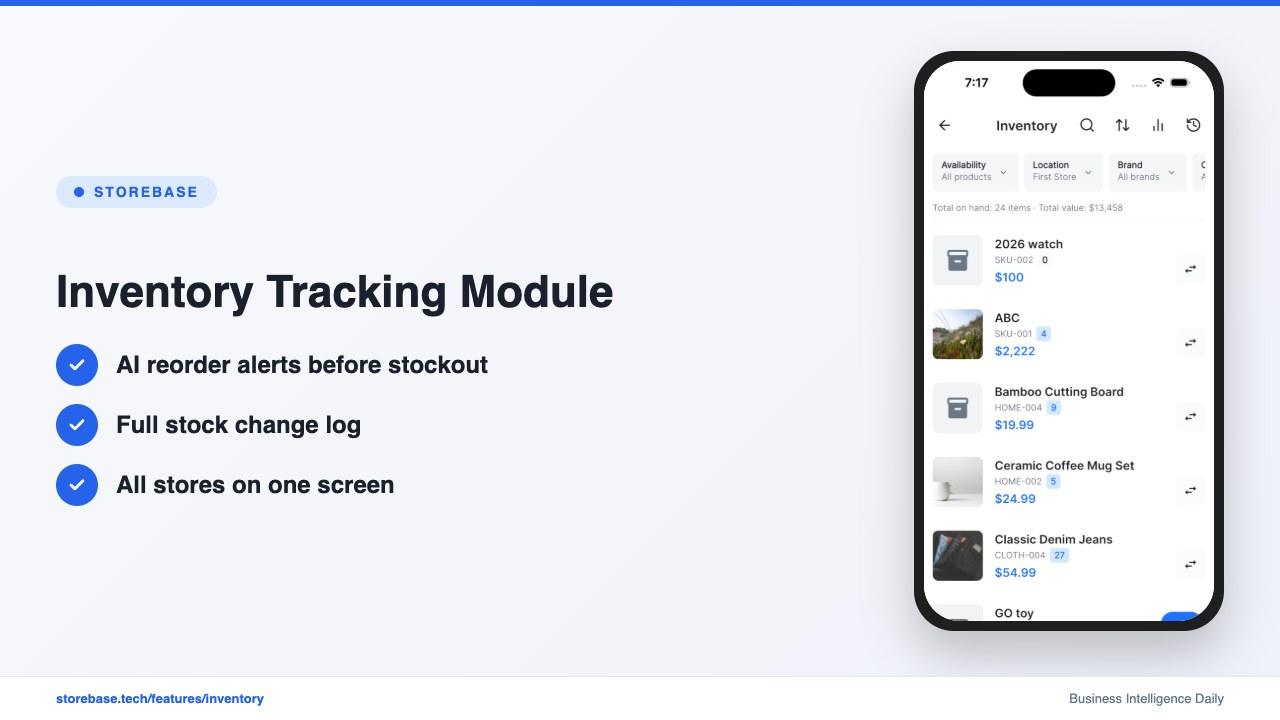
Inventory reorder alert — Storebase monitors every SKU against David’s configurable thresholds and sends a push notification before stock reaches zero. His stores typically receive 2–3 alerts per week. Before Storebase, he found out about stockouts from customers.
Stock change log — Every adjustment at either store is automatically attributed to the employee who made it, with timestamp and quantity change. Traces take under 60 seconds. The Inventory module logs intake, adjustments, transfers, and write-offs separately — no manual logging step.
Multi-store stock dashboard — Both Seattle locations are visible in a single Storebase login. David can compare stock levels between stores, trigger inter-store transfers, and see which location is running low. The Supply Chain module connects supplier orders to the inventory layer, so a replenishment order automatically updates expected stock levels at that location.
Stock count automation — Storebase supports team-based stock counts where multiple employees scan simultaneously. What previously required 20 hours of solo work takes 30 minutes with two staff.
What These Five Features Look Like in Practice
David’s two-store operation runs with a fundamentally different relationship to inventory than it did in 2024. Stockouts get flagged before customers notice. Count time went from 20 hours to under one. Every stock number change is traceable to a specific employee and timestamp.
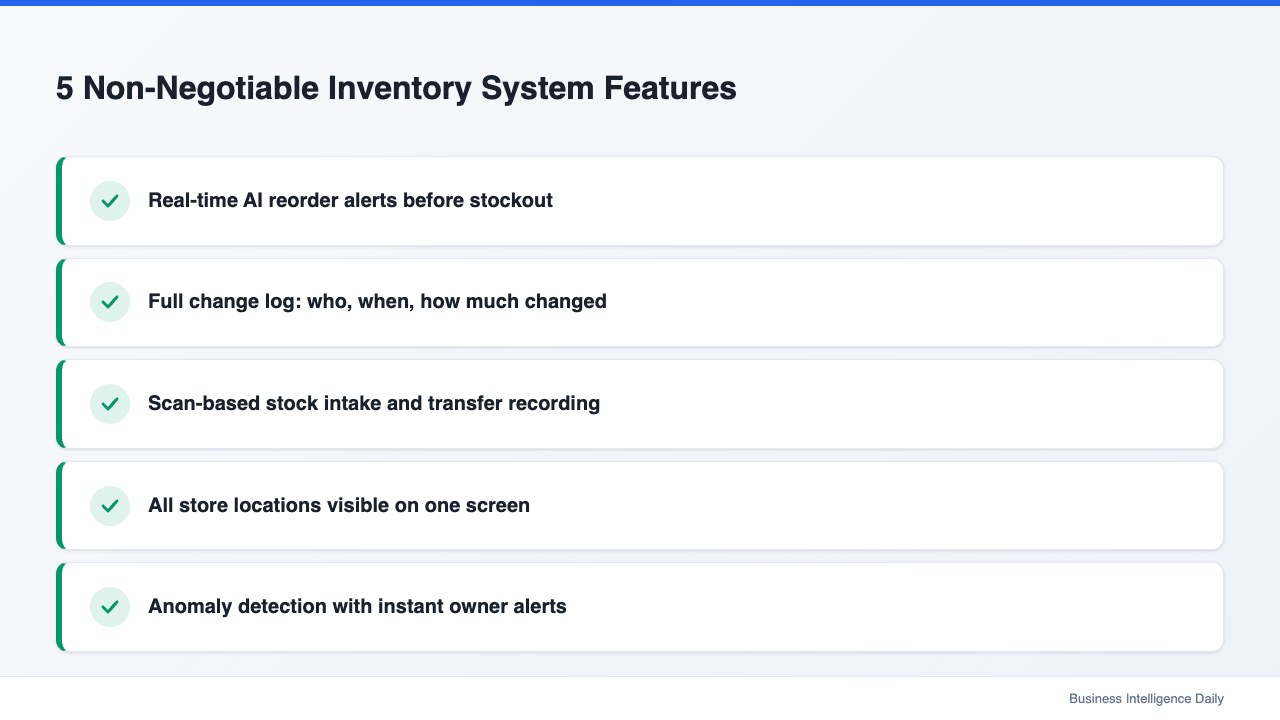
None of these five capabilities is individually remarkable. Real-time alerts, accountability logs, scan-based intake, multi-store dashboards, and anomaly detection are all well-understood concepts in retail stock tracking software. The differentiation is in having all five under one login designed for stores with 5–25 employees — not enterprise warehouses.
Choosing the right retail stock tracking software means auditing your current system against these five requirements. A system missing even one will produce gaps that accumulate quietly — showing up first as lost sales, then as unexplained shrinkage, eventually as customers who found a store that reliably had what they needed.
Review your current inventory management system retail store owners typically rely on and ask whether it covers all five. If it doesn’t, the gap has a dollar value — and it’s almost certainly higher than the cost of switching to one that does.
FAQ
Q: How long does it take to set up a retail inventory tracking system? A: For a small to mid-size retail operation, initial setup — importing the product catalog, configuring reorder thresholds, and training staff on scan intake — typically takes one to two days. The accountability log starts functioning immediately, and AI reorder alerts generally become reliable after 2–4 weeks of sales velocity data.
Q: Do I need special hardware for scan-based intake? A: Most modern systems use the smartphone camera for scanning, which eliminates dedicated barcode scanner hardware. Employees can use existing phones for scan intake and transfer confirmations. Dedicated handheld scanners are available for high-volume operations but aren’t required for most retail stores.
Q: What if my inventory data is currently a mess in spreadsheets? A: Starting with imperfect data is significantly better than continuing with no system. Most platforms can work from an approximate starting point. The accountability log starts from day one regardless of historical data quality. Reorder alert accuracy may improve over 3–4 weeks as the system builds sales velocity data.