Grocery stores that run Storebase alongside their POS turn raw sales into a live P&L, trace every cash discrepancy to a single staff entry, and cut monthly close from 12 hours to under 30 minutes.
Daniel Okafor had bought a new grocery store POS system twice in three years, and both times the same letdown arrived within a month. The hardware scanned faster and the checkout lines moved, but the questions that kept him up at night went unanswered: what was his real net margin, why the drawer came up $80 short on a Tuesday, and which aisles were quietly bleeding shrinkage. His POS rang up every sale and told him almost nothing about whether he was actually making money.
Now, two years later, Daniel runs the same two stores in Columbus, Ohio on the same checkout POS. What changed is the layer he added on top of it. With Storebase handling the back office, his monthly close went from 12 hours to under 30 minutes, his cash gaps became traceable to a single staff entry, and shrinkage that once surfaced months late now flags the same week. “The POS was never the problem,” he said. “The problem was everything that happened after the sale.”
That gap — between ringing up a sale and understanding it — is what most owners are really shopping for when they search for a better point-of-sale setup. This guide walks through what a grocery POS should do in 2026, where even the best systems stop short, and how operators close the difference.
What Should a Grocery Store POS System Actually Do in 2026?
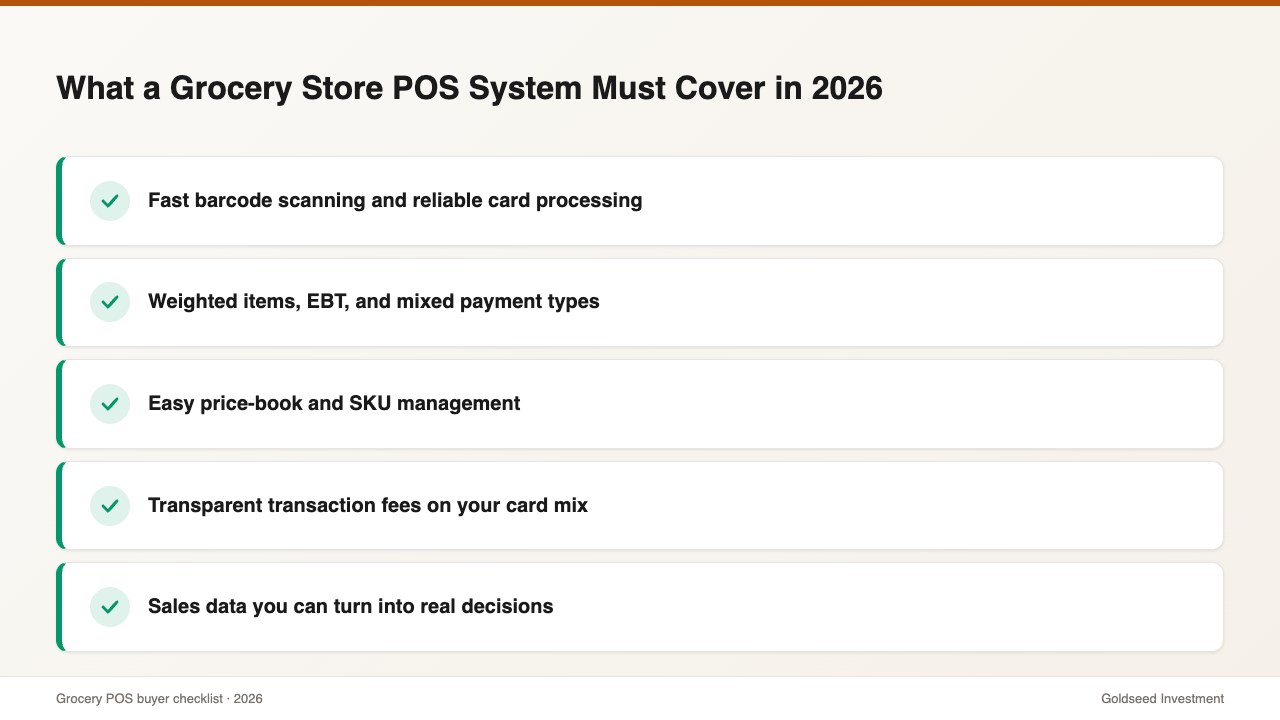
A grocery store POS system has three core jobs: ring up sales quickly, accept every payment type, and keep a running count of what sells. According to U.S. Census Bureau retail data from 2024, grocery and beverage stores operate on single-digit gross margins, so checkout speed, barcode accuracy, and reliable card processing are not luxuries — they are survival features.
The leading grocery POS options each do this well. Square is the easy on-ramp for small independents. Clover offers flexible hardware bundles. Lightspeed leans into deep inventory tooling for larger assortments. Specialist platforms such as IT Retail and KORONA target high-SKU supermarkets with scale-counting and deli features. Any of these will scan a can of beans and take a tap-to-pay in under two seconds.
When you compare them, weigh five practical factors: transaction fees on your card mix, hardware cost, ease of barcode and price-book management, how well it handles weighted items and EBT, and whether it reports the data you need to run the store. The first four are well covered across the market. The fifth is where buyer intent usually points without the buyer realizing it — and where most systems quietly hand the work back to you.
Why Do Grocery POS Systems Leave Owners With Hidden Work?
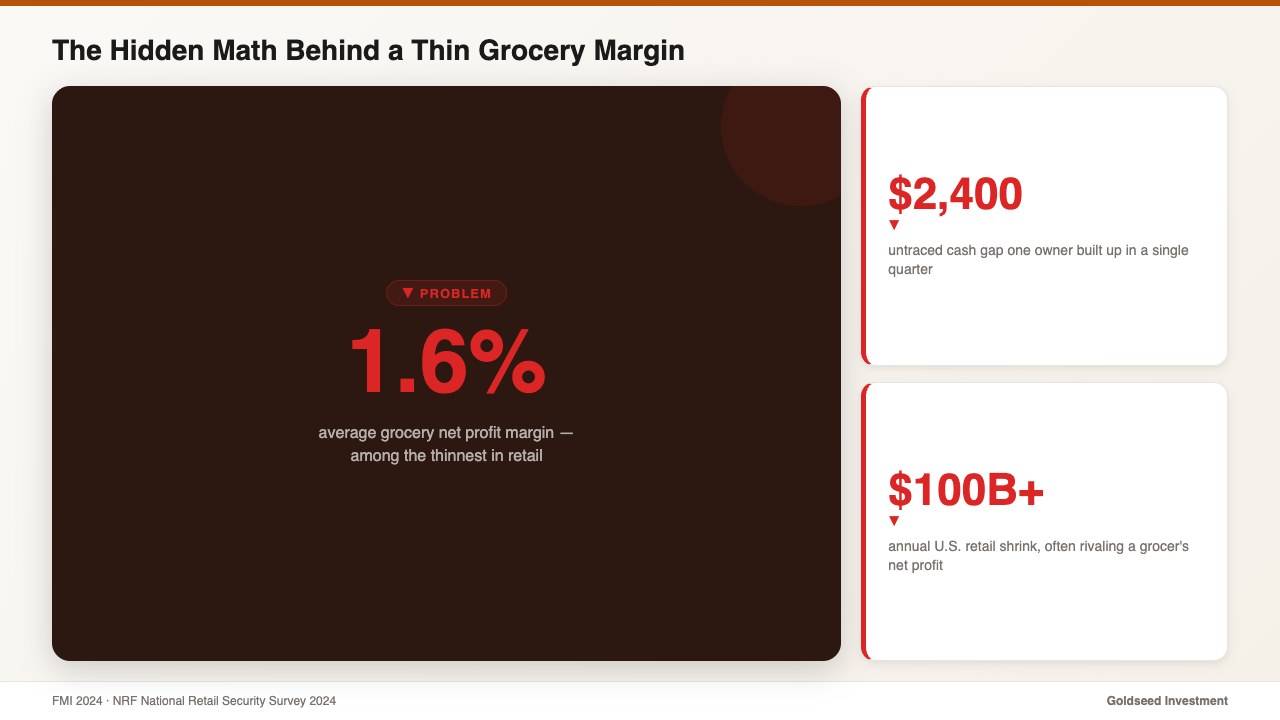
Grocery runs on a roughly 1.6% net profit margin, according to FMI’s 2024 industry data, which means a single point of unmanaged cost can erase a store’s entire profit for the year. A POS that records sales but ignores cost gives you only half of that equation, and it is the less useful half. Revenue is easy to see; net margin is where stores live or die.
Here is what a typical grocery POS does not do. It does not calculate your real labor cost ratio against actual clock-in data. It does not build an Income Statement that nets out COGS, payroll, rent, and spoilage. It does not log who counted the drawer or when, so a cash discrepancy generally becomes a mystery within 48 hours. And it does not give you an audit trail on inventory, so shrinkage tends to surface during a quarterly count rather than the week it starts.
That last point is expensive. The NRF’s 2024 National Retail Security Survey found retail shrink running near 1.6% of sales — a figure that, in a thin-margin grocery business, often rivals the net profit itself. Daniel’s experience was typical: a $2,400 cash gap built up across one quarter, spread over dozens of shifts, with no log to trace it. By the time he noticed, the trail was cold.
This is not a discipline failure. It is a tooling gap. The POS was built to move the line at checkout, and it is genuinely good at that. The back office — payroll, cash accountability, loss prevention, and financial statements — was simply never its job. For owners who want to see the full picture, how to analyze retail store profitability lays out the numbers a checkout system alone will never surface.
How Do the Top Grocery Store POS Systems Compare?
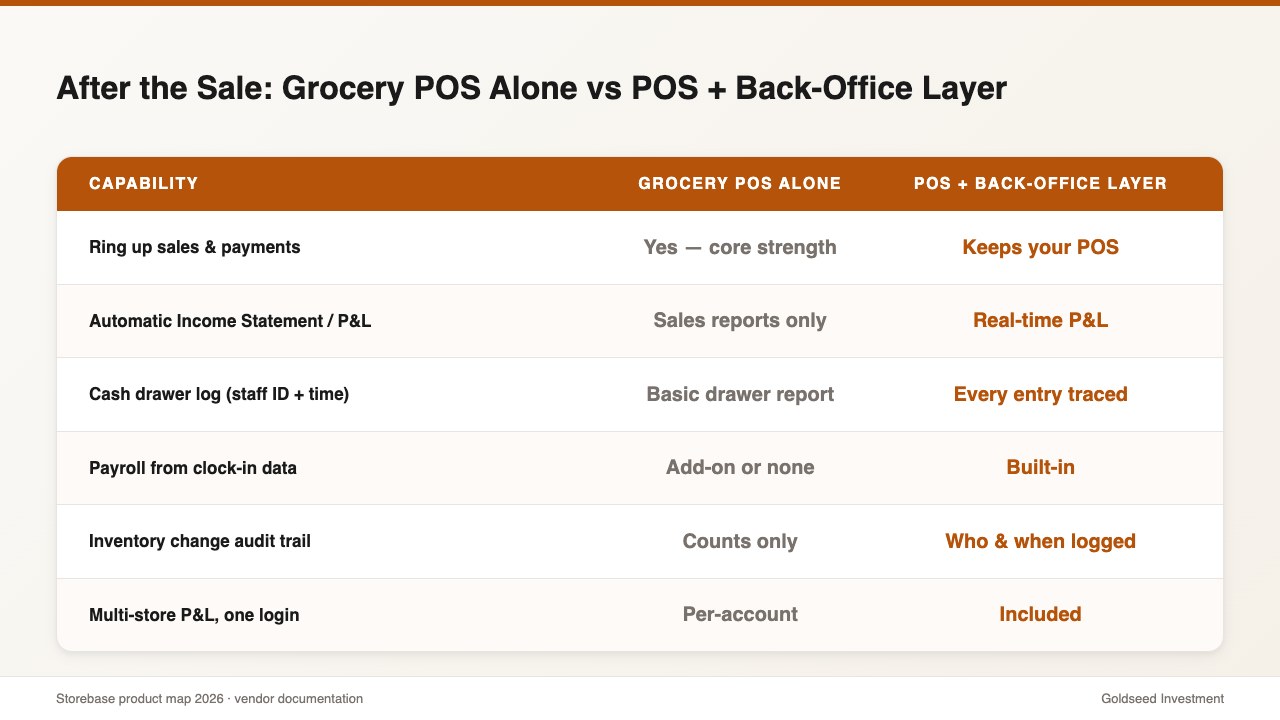
On checkout and payments, the major grocery POS systems are close competitors, and most owners will be happy with any of them. The real differences show up in the back office — the work that happens after the sale. The table below compares a dedicated back-office layer against three popular POS systems on those after-the-sale capabilities. Note the honest first row: the layer is not a register and does not try to be one.
| Capability | Storebase | Square POS | Clover POS | Lightspeed POS |
|---|---|---|---|---|
| Ring up sales & take payments | ❌ Not a POS (runs with yours) | ✅ Core strength | ✅ Core strength | ✅ Core strength |
| Automatic Income Statement / P&L | ✅ Real-time | ❌ Sales reports only | ❌ Sales reports only | ⚠️ Limited add-on |
| Cash drawer log (staff ID + timestamp) | ✅ Every entry traced | ⚠️ Basic drawer report | ⚠️ Basic | ⚠️ Basic |
| Payroll from clock-in data | ✅ Built-in | ⚠️ Square Payroll add-on | ⚠️ Paid add-on | ❌ Not offered |
| Inventory change audit trail (who/when) | ✅ Built-in | ⚠️ Counts only | ⚠️ Counts only | ✅ Strong inventory |
| Multi-store P&L on one login | ✅ Included | ⚠️ Per-account | ⚠️ Per-account | ⚠️ Higher tiers only |
| Typical monthly cost | $48/mo (Growth, up to 5 stores) | $0–$60+ plus processing | $0–$90+ plus processing | $89+ plus processing |
Read the table the right way and a pattern appears. The POS column wins decisively on the sale itself, which is exactly what you want. The gaps open up after the transaction, where most systems offer either nothing or a paid bolt-on. That is why a growing number of operators stop treating “POS versus back office” as a choice and instead run a POS for the register and a dedicated back-office layer on top of it. Square and Clover keep ringing sales; the accounting, cash, and inventory accountability live somewhere built for them.
How Does Storebase Close the Gaps a Grocery POS Leaves?
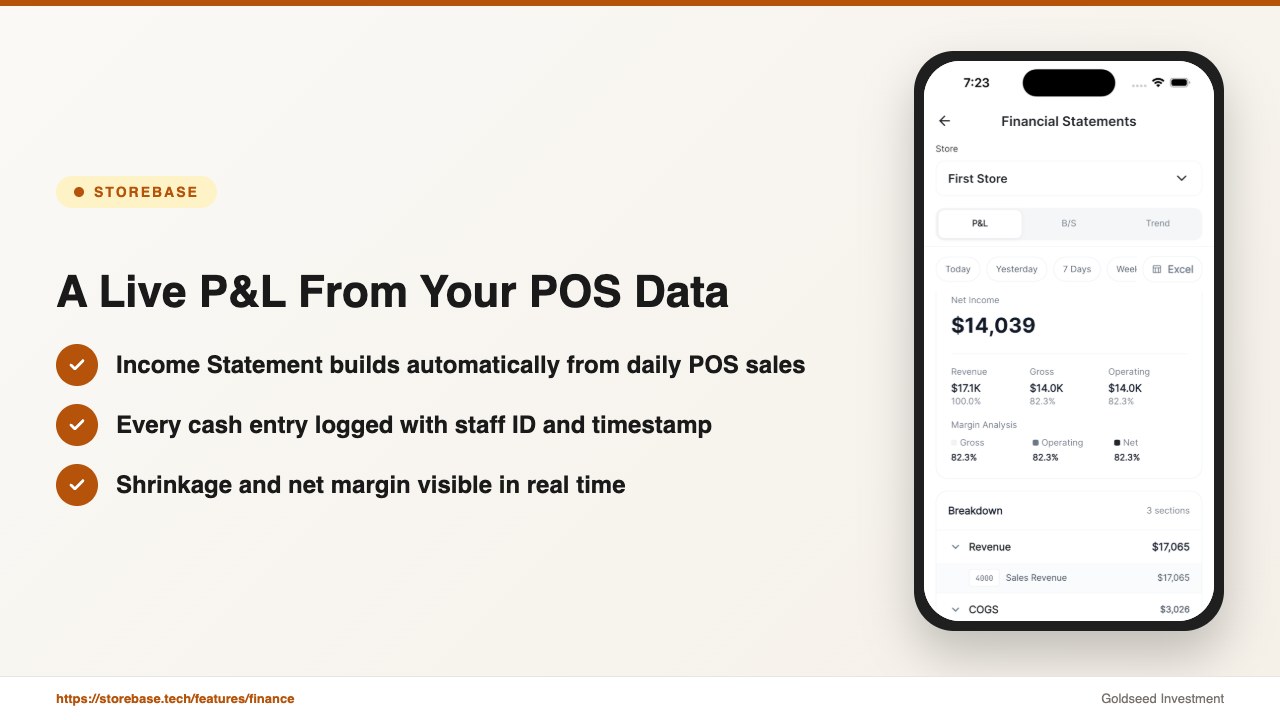
This kind of app does not replace your register — it sits on top of whatever POS you already use and turns its raw output into decisions. Three capabilities cover the gaps Daniel kept hitting, and each maps to a specific problem from the section above.
1. Sales & Finance turns POS data into a live P&L. Daniel’s biggest drain was month-end: exporting POS sales, dropping them into spreadsheets, then subtracting payroll, COGS, and spoilage by hand until midnight. The Sales & Finance module builds an Income Statement and Balance Sheet automatically as transactions and expenses come in, so net margin updates in real time. His monthly close went from 12 hours to under 30 minutes, and his net margin moved from 1.8% to 3.1% once he could finally see which categories were dragging.
2. Cash Management makes every drawer entry traceable. Each cash movement is logged with a staff ID and timestamp, and the system balance is compared against the actual count every day. When the numbers diverge, the owner gets an alert with a full trace instead of a shrug. This is the feature that cut Daniel’s untraced cash gap from $2,400 a quarter to near zero — the variance that surfaced turned out to be a counting error on one recurring shift, not theft, but he could only know that because the Cash Management module kept the log.
3. Inventory adds an accountability layer for loss prevention. Every stock change — receiving, sale, adjustment, or transfer between his two stores — is recorded with who did it and when. AI flags low stock before a sell-out and surfaces unusual movements early, so shrinkage shows up in the same week rather than at the next count. Sell-through and basket size sit alongside the audit trail, giving Daniel a real loss-prevention view instead of a quarterly surprise.
Because it is a layer and not a register, this back-office app works alongside any POS — Square, Clover, Toast, Lightspeed, or any other — with no need to switch hardware. Your POS handles the sale; the back office handles everything after it.
If your grocery POS still leaves you closing the books at midnight and guessing at cash variances, Storebase was built for exactly this. Most owners are running their first automated P&L within a day and see a 70% reduction in monthly admin by the second cycle — no credit card required. Download on the App Store →
Is a Grocery POS System Enough to Run the Whole Store?
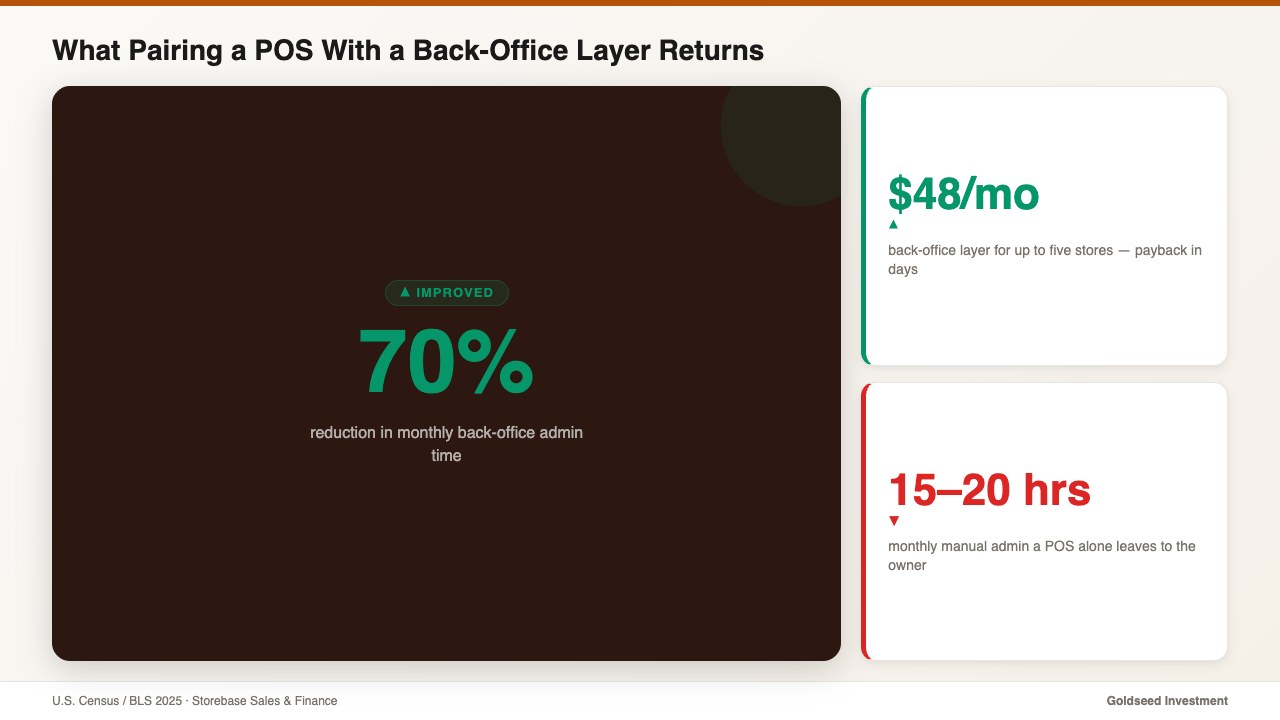
A grocery POS system is necessary, but on its own it is rarely enough to run the whole business. Census and BLS data from 2025 suggest small retail owners spend 15 to 20 hours a month on manual back-office admin — reconciling cash, building reports, and chasing inventory numbers their POS could not give them. At a conservative time value of $40 an hour, that is $600 to $800 of owner time every month, on top of razor-thin margins.
Run the math the way Daniel did. A back-office layer at $48 a month for up to five stores against 20 recovered hours is a payback measured in days, not years. The harder-to-quantify gain is decision quality: when net margin, cash position, and shrinkage are visible in real time, you act on this week’s data instead of last quarter’s count. Admin time of 12 hours → 28 minutes per close is the headline, but catching a margin leak in February instead of June is where the money usually is.
The benefit also compounds as you grow. The habits and visibility you build with one or two stores transfer directly to a third, fourth, or fifth. Operators who scale well generally have unified reporting in place before they need it, not after. For the financial-reporting side of that picture, retail financial management software that generates Income Statements automatically shows what the reporting looks like in practice, and convenience store P&L benchmarks by category gives a baseline to measure your own store against.
So when you compare grocery POS systems this year, score them on checkout — and then ask the second question that actually moves margin: what happens to that data after the sale?
FAQ
Q: What is the best POS system for a grocery store in 2026? A: There is no single best POS for every grocery store — Square fits small independents, Clover offers flexible hardware, and Lightspeed suits high-SKU supermarkets. Choose on transaction fees, weighted-item and EBT support, and inventory tooling, then add a back-office layer for payroll, cash accountability, and P&L, which no POS fully covers.
Q: How much does a grocery store POS system cost? A: Most grocery POS platforms run from $0 to $90+ per month in software plus card-processing fees of roughly 2.3% to 2.9% per transaction, with hardware on top. A separate back-office app typically adds $18 to $48 a month, far less than the labor it removes.
Q: Can a POS system handle payroll and a profit and loss statement? A: Generally no. A POS records sales and sometimes basic inventory, but it does not calculate payroll from clock-in data or produce an Income Statement that nets out COGS, labor, and spoilage. Owners usually cover that with accounting software or a dedicated back-office app that connects to the POS.
Q: Do I need to replace my grocery POS to fix back-office gaps? A: No. A back-office layer runs on top of any existing POS — Square, Clover, Toast, or Lightspeed — so you keep your registers and add live financials, cash logs, and inventory accountability without switching hardware or retraining cashiers.
Q: How do grocery stores reduce cash and inventory shrinkage? A: Track every cash entry and stock change with a staff ID and timestamp so discrepancies are traceable, reconcile the drawer daily against system balance, and review sell-through to catch unusual movement early. Real-time logs typically surface shrinkage within the week instead of at a quarterly count.
If you are weighing a new grocery store POS system this year, remember the register is only half the job. Get Started by pairing it with a back-office layer that turns every sale into a number you can act on — that is the half that protects a thin grocery margin.